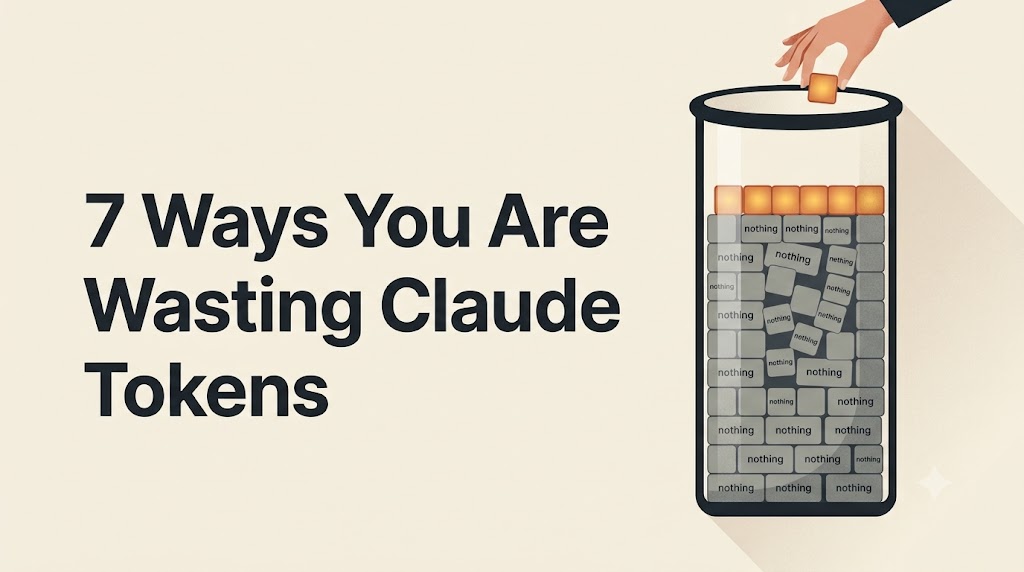
Quick definition first. A token is a small chunk of text, roughly three-quarters of a word. Claude counts tokens, not messages, when it bills you or limits you.
The real problem is not just cost. Wasted tokens also make Claude’s answers worse. You end up paying more for a weaker result.
You have probably seen these before. They work, they take seconds, so do them and move on.
Now for the seven things that actually cost you the most. The first four apply to everyone. The last three matter most if you build on the API.
Most people attach the same reference document to chat after chat. You pay for it in full, every single time.
Anthropic’s own help pages say files stored in a Project are cached and do not count against your limits when reused.
One user’s experience shows the gap clearly:
What to do: copy text out of PDFs before uploading, crop screenshots tight, and put anything you will use twice into a Project.
Almost every tip out there tells you to shorten what you send. But what Claude sends back costs about five times more per token.
There is also a hidden part. Claude sometimes reasons privately before replying. That thinking is billed at the same high rate, and you never see it.
What to do:
This is the part hardly anyone writes about, and it matters more than the money.
Researchers at Chroma tested 18 leading AI models. Every single one got worse as the amount of text grew. Not some of them. All of them.
They kept the questions equally hard and only changed the length. So the drop came from size alone.
That last point is useful. If Claude says it cannot find something you know is there, your conversation is too full, not too empty.
Adding more context makes it worse. Anthropic calls this a limited attention budget. Every extra token competes with the ones that matter.
Most people guess. No starting number, no way to tell if a change helped.
Anthropic publishes a useful benchmark. Average cost runs about $13 per developer per active day, and $150 to $250 per month. For 90 percent of users, it stays under $30 a day.
One developer tracked his usage for a week. Sessions over 100,000 tokens used three times more. Simple questions cost pennies. Leaving windows open cost nothing.
MCP servers are connectors. They link Claude to outside apps like GitHub, Notion, or Figma. Useful, but each one has a hidden price.
When you connect a server, Claude loads the full instruction manual for every tool inside it. This happens the moment your session opens, before you type anything.
You pay for that manual whether you use those tools or not.
It gets worse in longer jobs. Claude re-reads that whole manual on every turn. A task with 60 turns pays the same cost 60 times.
What to do:
Prompt caching lets Claude save a repeated part of your prompt so you pay far less to send it again. It only works if that part stays exactly the same, character for character.
Change one character and the saving disappears. Nothing warns you. No error appears. You just quietly pay full price forever.
A real production case shows the damage:
Things that quietly break caching:
What to do: put your unchanging content at the top, your cache marker after it, and everything that changes at the bottom.
Most articles treat caching as free money. It is not. You pay extra upfront before you save anything.
Saving to cache costs 1.25 times the normal rate. Reading it back costs one tenth. So caching only pays off if you actually read it back.
How to check: send the same request twice within five minutes. If cache_read_input_tokens shows zero both times, your cache has never worked once.
Many guides still warn that requests above 200,000 tokens cost double. That price jump existed during testing, and Anthropic removed it in March 2026.
Today’s larger models charge the same rate across the full window.
Waste is rarely in the words you type. It sits in what loads before you start, what never gets read back, and what you never measured.
Run these checks once. Most people find a single fix worth more than every “be more concise” tip combined.
Error: Contact form not found.
Enter your email to receive your exclusive coupon and start saving on your next purchase. Don’t miss out on special deals and updates!
Error: Contact form not found.