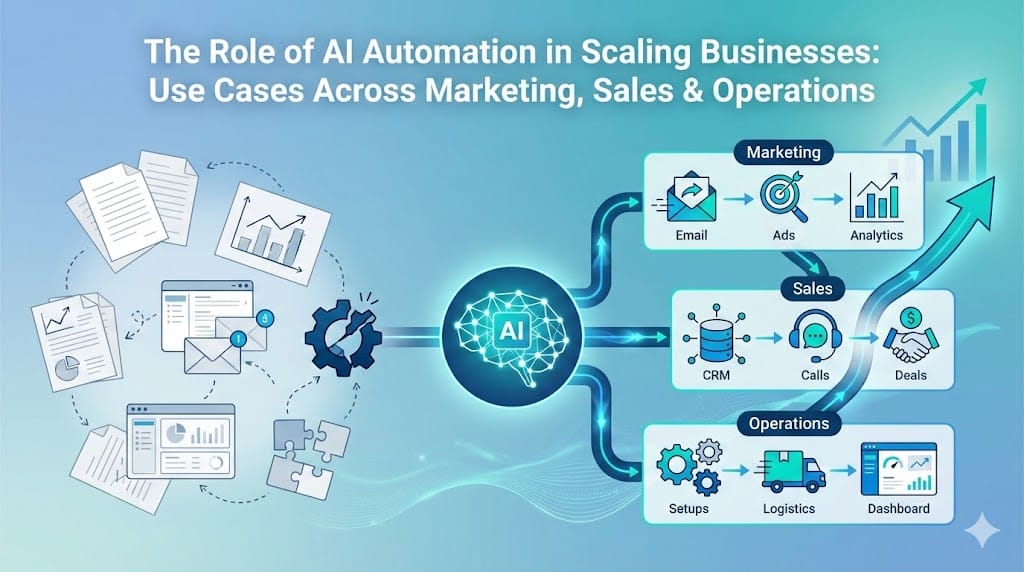
Many businesses want to grow fast, but old ways of working slow them down. Teams spend hours on repeated tasks instead of planning or serving customers.
When work stays manual, it feels like no matter how hard you try, things barely move ahead. A recent study shows that about 34 percent of all business tasks are automated today to improve workflows, yet most routine work still waits on people.
This gap is one reason teams miss targets and lose edge. That is where smarter systems come into view.
We will talk about how AI automation helps solve these real challenges.
In this blog, we will cover key use cases, steps to implement, and real examples across functions.
AI automation in business means using systems that can make decisions and complete tasks with little human help. It is not only about saving time, but also about working in a smarter and more consistent way.
Instead of people handling every small step, software handles routine actions. Teams then focus on planning, solving problems, and improving customer experience.
At its core, AI automation combines data, rules, and learning models. These systems observe patterns, take actions, and improve results over time.
In simple terms, AI automation in business includes:
It is important to understand what AI automation is not:
Think of it as a digital team member that works nonstop, follows rules, and supports human teams to grow faster without adding equal workload.
Read more: How AI Automation Is Transforming Digital Marketing: From Lead Generation to Customer Retention
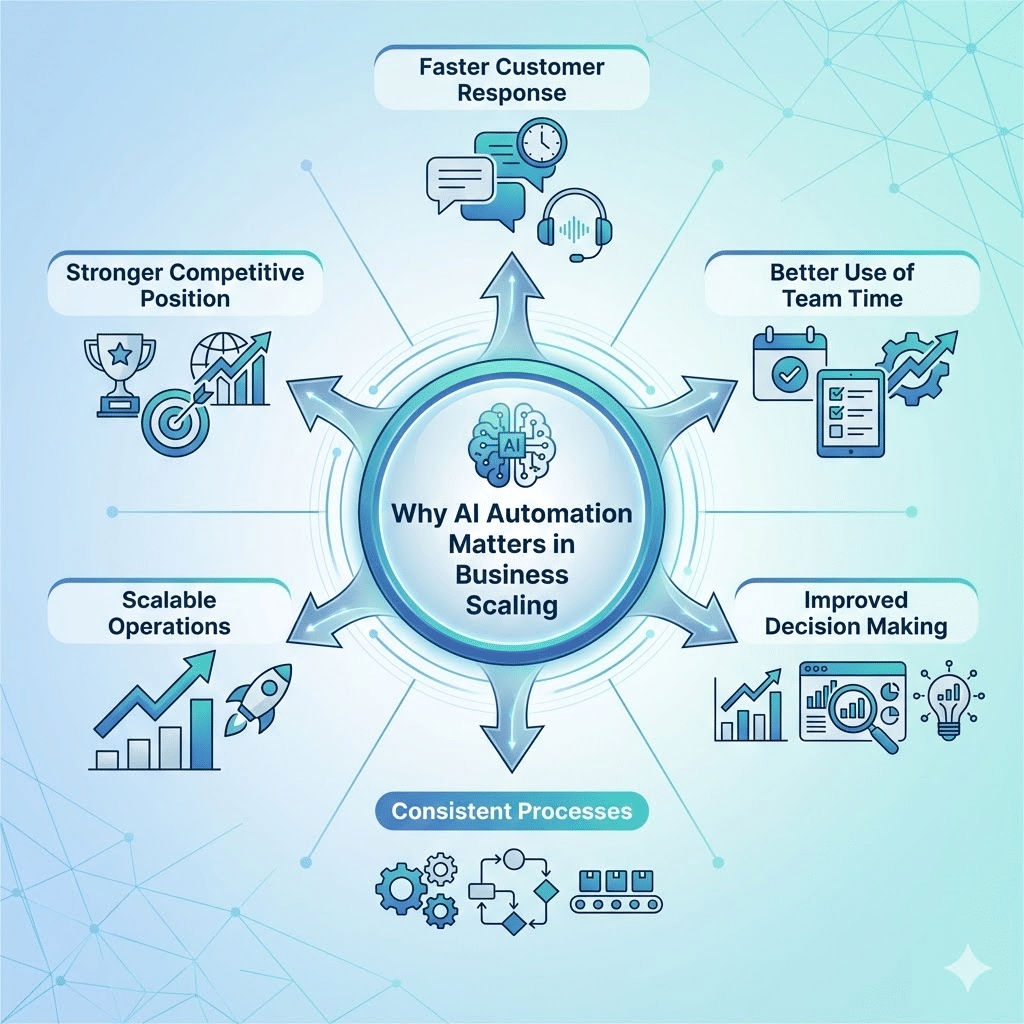
Business speed today is very different from even a few years ago. Customer needs change quickly, and teams must respond without delays or mistakes.
AI automation helps businesses grow in a controlled, efficient, and sustainable way while keeping teams focused on what truly drives results.
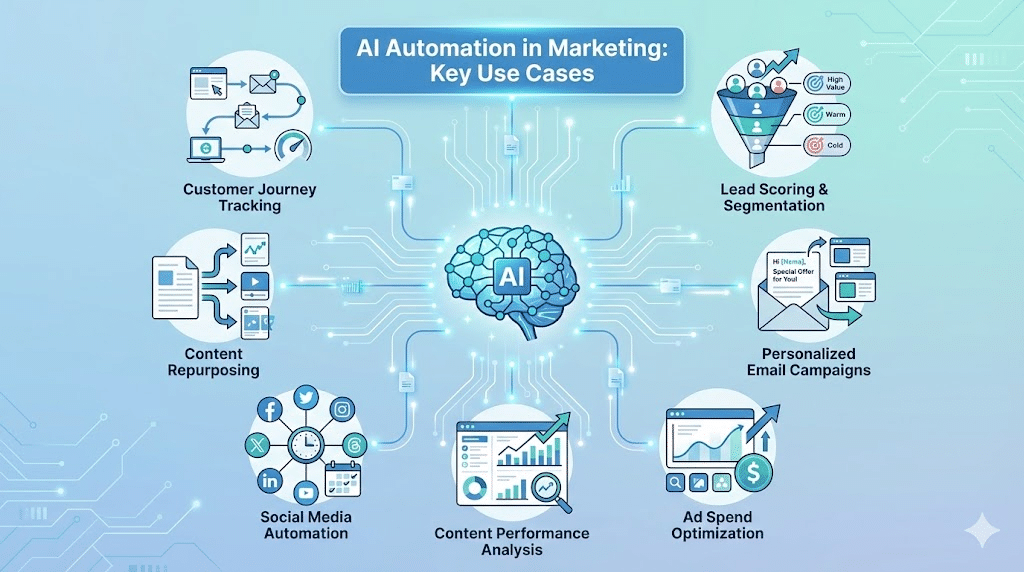
Marketing teams often create one strong piece of content but struggle to reuse it effectively. AI automation helps turn a blog post into social posts, email snippets, short videos, ad copy, or website sections within minutes.
The system adjusts tone, length, and format based on the platform. A long article can become LinkedIn posts, Instagram captions, or email highlights without starting from scratch.
This saves time and keeps messaging consistent across channels. Teams get more value from the same content effort, while audiences see the message in formats they prefer.
Writing one email for all customers no longer works well. AI automation helps create variations of email content based on user behavior, purchase history, and preferences.
For example, one customer may receive product education, while another receives a discount reminder. The timing of emails can also adjust automatically based on when a person usually opens messages.
This leads to more opens, more clicks, and better relationships. Teams manage large campaigns without manually crafting each message, while customers feel the communication is relevant to them.
Read more: 11 AI Email Marketing Tools for 10x More Sales
Managing ads on multiple platforms can quickly become complex. AI automation tracks performance across search, social, and display ads in real time. It studies clicks, conversions, cost per result, and audience behavior.
Based on this data, the system shifts budget toward ads and audiences that perform well. Poorly performing ads are reduced or paused automatically. Marketers no longer rely only on weekly reviews to make decisions.
This approach reduces wasted spend and improves return on ad investment. Campaign performance stays stable because adjustments happen continuously, not occasionally.
Customers interact with many touchpoints before making a decision. AI automation tracks actions such as website visits, email clicks, product views, and downloads. It connects these signals to understand where each person stands in their journey.
When certain behaviors occur, the system triggers the right action. For example, visiting a pricing page can prompt a follow-up email or sales notification. If a user stops engaging, a re-engagement message can be sent automatically.
This keeps communication timely and relevant. Marketing reacts to real behavior instead of fixed schedules.
Many website visitors have questions before they are ready to talk to sales. AI-powered chat systems answer common queries, guide users to resources, and collect key details such as company size or needs.
Based on responses, the system qualifies visitors and routes serious prospects to sales. Casual visitors receive helpful information without manual effort from the team.
This ensures no potential lead is ignored. Marketing captures more opportunities while sales spends time only on high-potential conversations.
Read more: Top 5 AI Tools That Reduce Manual Work Inside Digital Marketing Agencies
Sales reps handle many conversations daily, and small delays can quietly hurt deal progress. AI systems track emails, meetings, and response gaps without needing manual logs.
When a follow-up is due, reminders or draft emails appear automatically. Tasks are created based on real activity, not guesswork.
This keeps opportunities active and reduces the risk of prospects going cold due to missed timing.
After sales calls, updating records often takes longer than expected. AI automation reviews call transcripts and extracts key points, questions, and next steps.
Summaries are added to the CRM automatically, along with suggested follow-up actions.
Reps spend less time on admin work and more time preparing for the next conversation with better context.
Sales pipelines often include many contacts, but not all are ready to move forward. AI systems track signals like website activity, email engagement, and demo requests.
Based on this behavior, leads are ranked by likelihood to convert. Reps spend time on prospects showing clear intent.
This improves conversion rates and helps teams focus effort where it matters most.
Creating proposals often takes hours of manual work. AI systems pull product details, pricing rules, and past deal data to help draft proposals quickly.
Suggestions are based on similar past deals and customer profiles. Reps review and adjust instead of starting from zero.
This speeds up the sales cycle and reduces errors in pricing or scope.
Operations teams handle many requests daily, from approvals to service tickets. AI systems review request type, urgency, and workload data. Tasks are then routed to the right person or team automatically.
This avoids delays caused by manual sorting. Work reaches the correct owner faster, and bottlenecks become easier to spot. Teams spend less time coordinating and more time completing tasks.
Managing stock levels manually often leads to shortages or overstock. AI automation studies sales trends, order history, and seasonal patterns. It flags demand changes and suggests restocking levels.
Operations teams receive early alerts instead of reacting after problems occur. This helps maintain steady supply, reduces waste, and improves overall planning accuracy.
Order flows can break due to missing data, pricing mismatches, or approval gaps. AI systems review incoming orders and flag issues instantly.
Routine orders move ahead automatically. Only exceptions reach human teams for review.
This speeds up processing time and reduces backlogs. Operations staff focus on solving real problems instead of checking every single order.
Unexpected equipment failures can disrupt service and increase repair costs. AI analyzes usage data, sensor readings, and past breakdown patterns.
It predicts when maintenance may be needed before a failure occurs.
Teams schedule service at the right time, reducing downtime and avoiding emergency fixes that affect operations.
Preparing daily or weekly reports often takes hours. AI automation gathers data from systems and updates dashboards automatically.
Reports reflect real-time performance without manual compilation.
Leaders get timely visibility, and operations teams spend less effort on spreadsheets and more on improving processes.
Operations must follow internal policies and industry rules. AI systems track process steps, approvals, and document changes automatically.
If a required step is skipped, alerts are triggered.
This builds a clear record of actions taken, making audits smoother and reducing the risk of compliance gaps.
Balancing staff, tools, and workload is difficult when demand changes. AI studies past workload trends, project timelines, and resource availability.
It suggests how to allocate people and assets more effectively.
This prevents overload on some teams while others stay underused, leading to smoother operations overall.
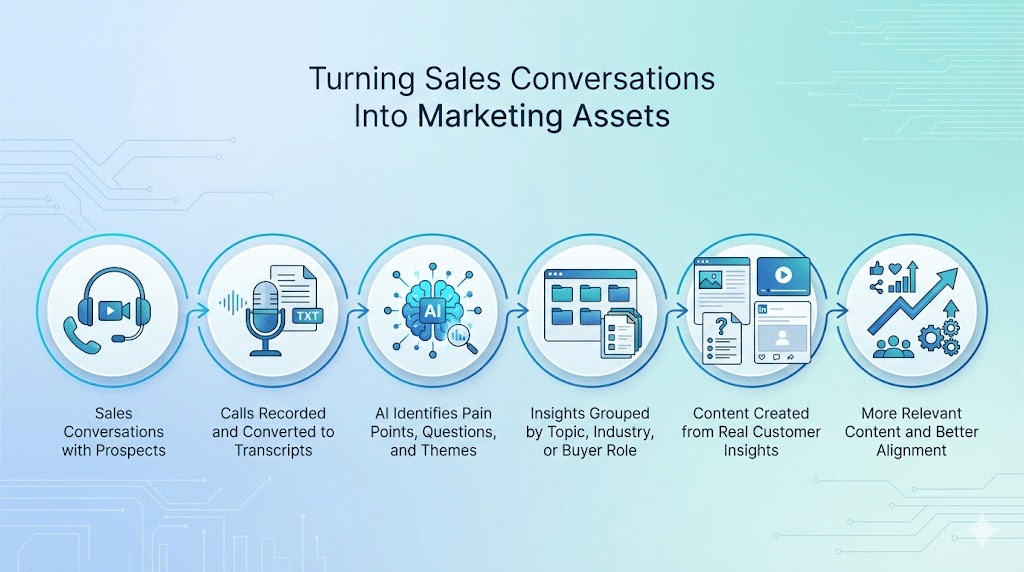
Sales calls contain direct customer language, real objections, and practical questions. Instead of leaving this insight unused, AI automation turns those discussions into a steady content source for marketing teams.
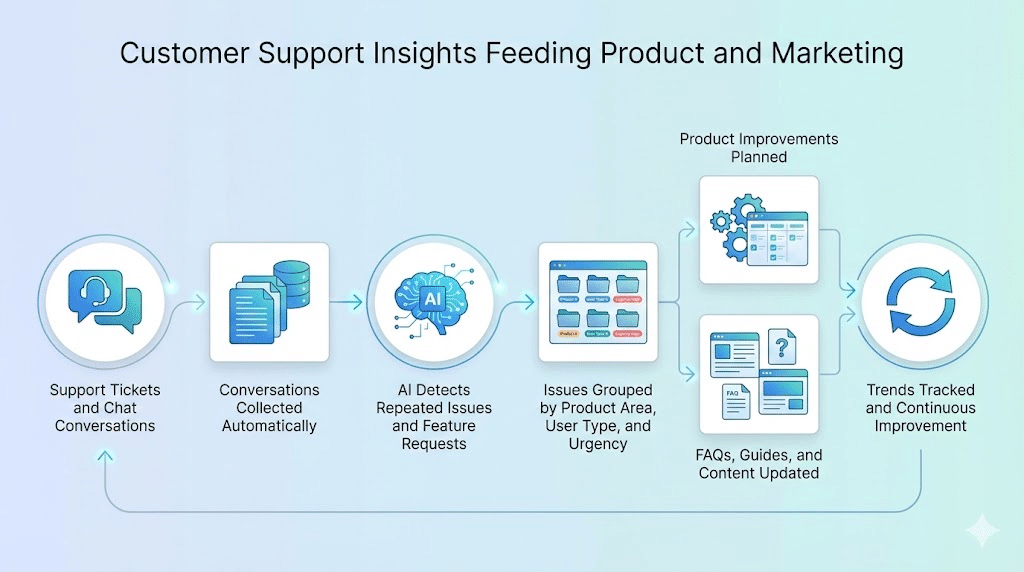
Customer support teams handle daily tickets that reveal product issues and common confusion. AI automation ensures these insights do not stay buried inside helpdesk systems.
Read more: How Generative AI Can Boost Consumer Marketing in 2026
Start by reviewing how work actually gets done each day. Look for tasks that repeat, follow fixed rules, and slow people down. These usually sit in the background but consume hours every week.
Typical areas include report preparation, data transfer between tools, follow-up emails, lead routing, and approval requests. These processes are stable, which makes them suitable for automation.
Good candidates often have:
Automation should solve a business problem, not just introduce new software. Decide what improvement you want before building anything.
For example, you may want faster response times, fewer manual mistakes, or more leads handled without hiring. Measure current performance first so you can compare results later.
Examples of useful metrics:
Document the process step by step. Note where data enters, who handles each stage, and which systems are involved.
This exercise often exposes repeated data entry or unnecessary approvals. Fixing these issues first makes automation smoother and more effective.
Choose tools that connect with your existing systems. Workflow platforms like n8n, Make, or Zapier can move data and trigger actions across apps.
Many SaaS tools also include built-in AI features, which reduces the need for custom builds. Start with tools your team can manage easily.
Do not automate everything at once. Pick one process and run a pilot. This lowers risk and helps the team get comfortable with the new setup.
Track results closely and gather user feedback. Adjust rules, timing, or approvals as needed. Once the pilot works well, expand automation to other processes gradually.
Businesses that grow in the coming years will not rely only on larger teams. They will depend on systems that handle routine decisions, manage data flow, and keep operations moving without constant supervision. AI automation will become part of everyday work, not a separate initiative.
Teams will spend less time coordinating tasks and more time improving products, customer experience, and strategy. Processes will run with better consistency because actions will follow defined rules and real-time data signals. This shift will help companies respond faster to market changes while controlling costs.
Leaders will also gain clearer visibility. Automated reporting and performance tracking will make it easier to spot issues early and act with confidence. Businesses that adopt structured automation will scale in a more stable and predictable way.
If you want to implement AI automation and performance-focused digital marketing, Stellites.com helps businesses build practical systems that improve growth, efficiency, and customer engagement through structured automation and data-driven campaigns.